PlateMate
Roles
Tools Used
Ideation, UI/UX Design, Design Iteration
Timeline
Fall 2025
4 weeks
Total Team
Contribution
100 hours
Team
Jenna Cianfarani, Dora Akhbardeh, Jasmine Chan
Maria Lucia Benavides
Individual
Contribution
25 hours
Figma, ChatGPT
PlateMate
An app that helps individuals determine what foods are safe according to their dietary restrictions, guiding them to safe meals and restaurants.
Initial State
PlateMate was originally developed by a previous team as a first iteration aimed at automating meal prep and simplifying kitchen workflows. While functional, the product had gaps in automation, some usability challenges, and opportunities for a more cohesive user experience.
Our Goal
Improve the existing PlateMate product by enhancing automation, refining usability, and creating a more intuitive, efficient user experience.

Automation Extension
Wearable Food Scanner
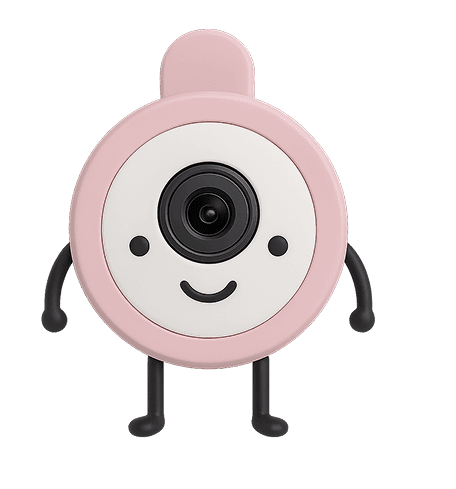

The wearable scanner automatically detects food, identifies who it's for, logs portions, and guides users through recipes using image recognition, motion detection, audio, and haptic feedback.
It provides hands-free support through live camera view, voice-controlled AI, and confirmation vibrations, making food tracking and cooking faster, easier, and safer.
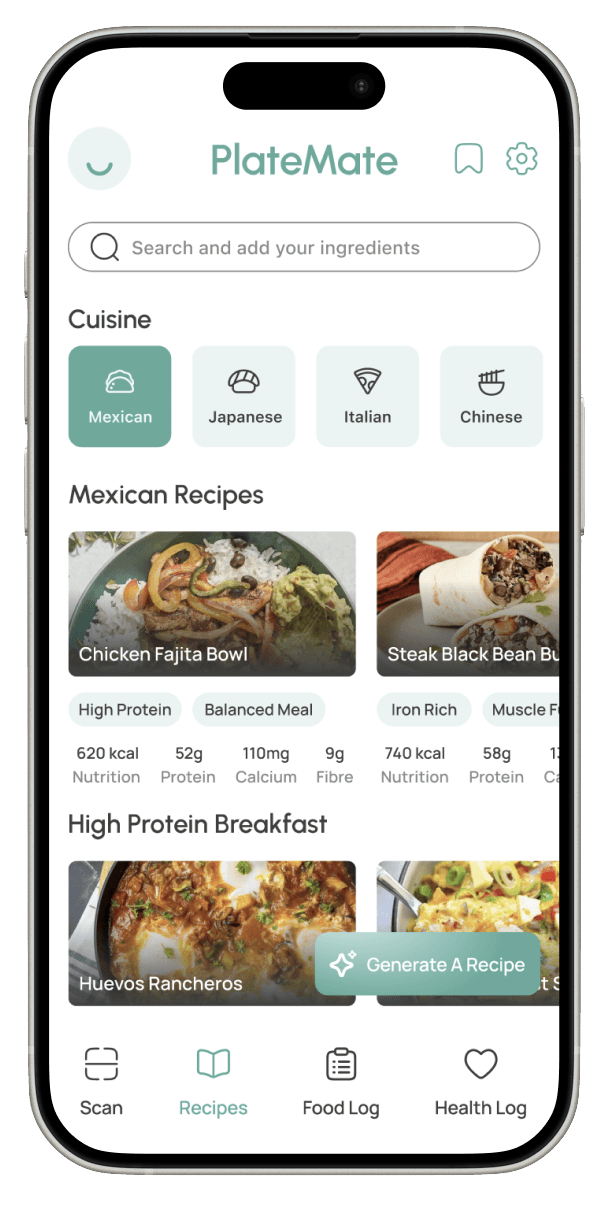
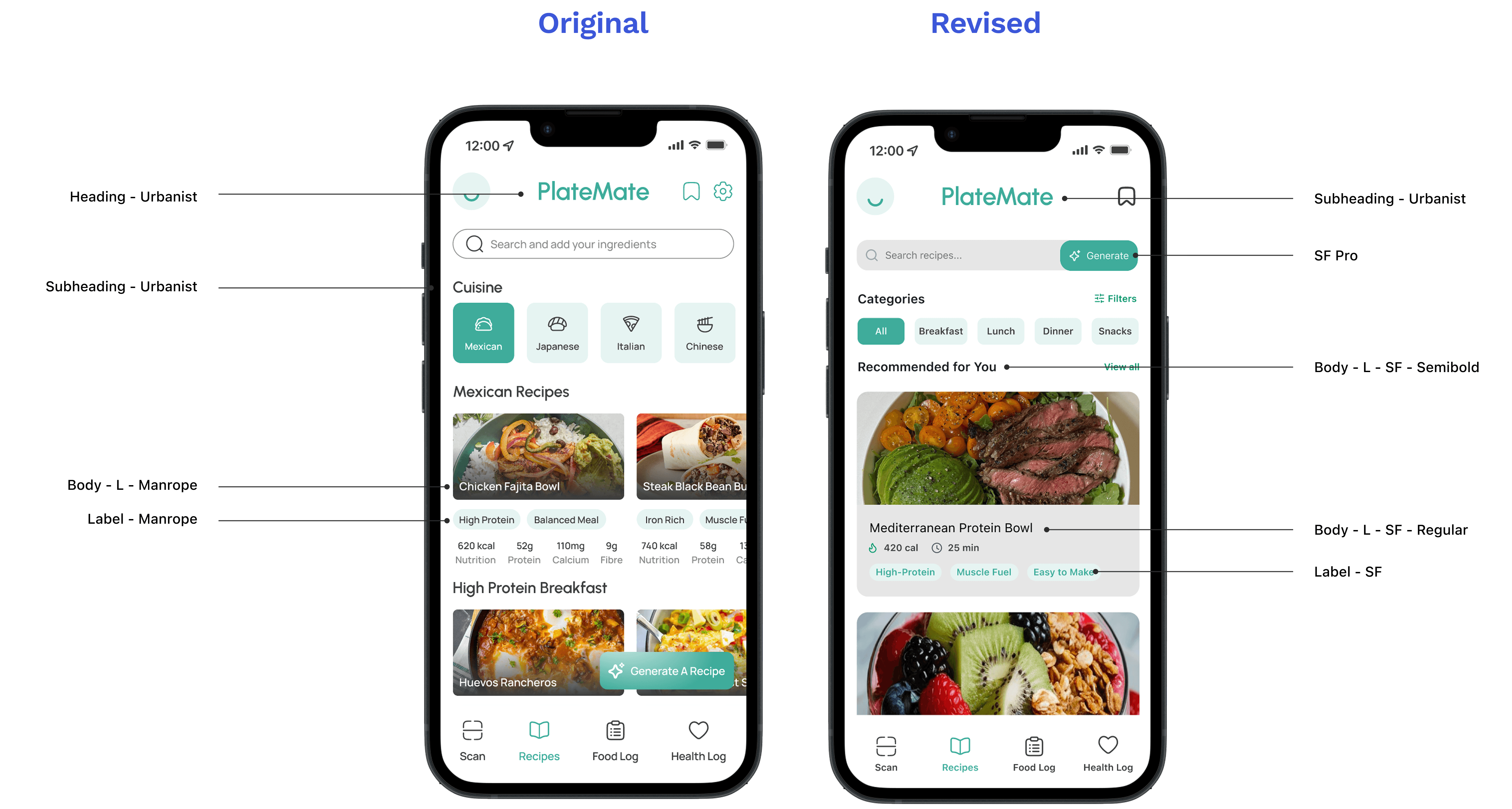
Cluttered filters and content cards made it overwhelming
Busy
Before

added a Generate button, and cleaned up content cards.
Insights
After
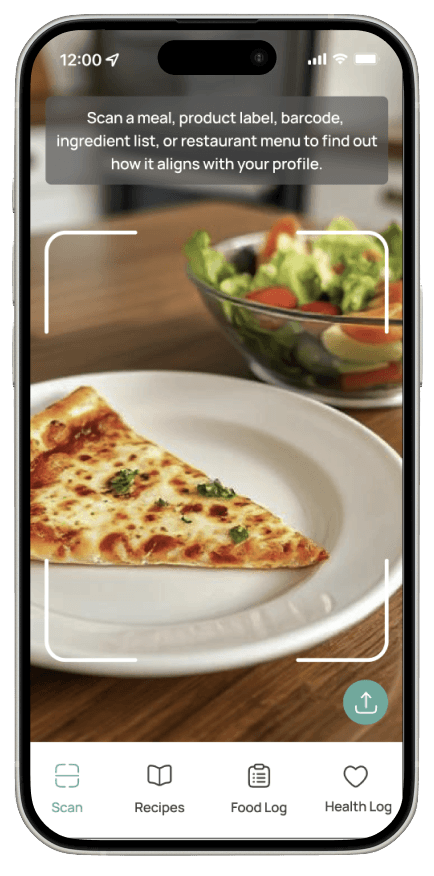
Users were met with a camera when opening the app.
No Dashboard
Before
Live feed of the wearable device as well as daily insights.
Insights
After
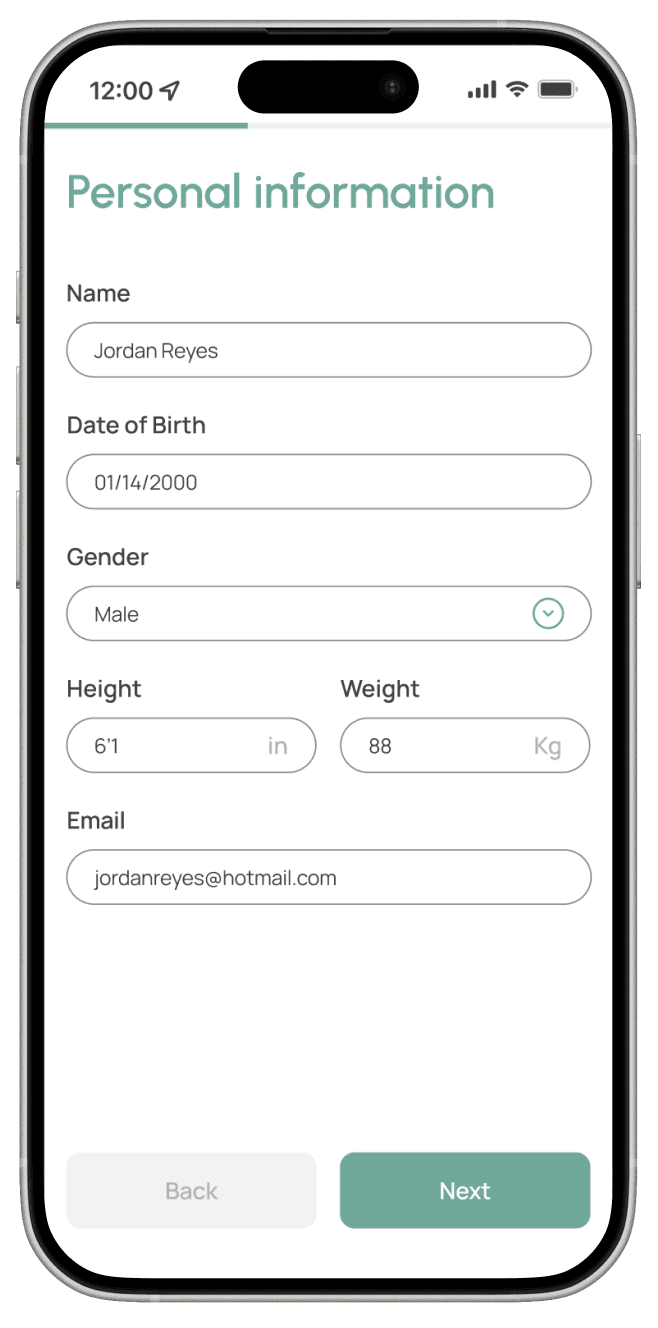
Users had to manually input information for onboarding.
Manual
Before
A spoken friendly conversation guides the onboarding.
Automated
After
Homepage
Redesign and Extension
Onboarding
Recipe Page
See Final Prototype
Design Systems Extension
To make the app more approachable and guide users through its automation features, we created a friendly character. This guide helps users understand processes, making interactions feel intuitive while adding a touch of personality to the experience.
Introducing PlateMate's Guide!
Logo
An automated platform that provides personalized coaching to help users manage their spending and savings responsibly.
The Solution
Colour Styles and Applications
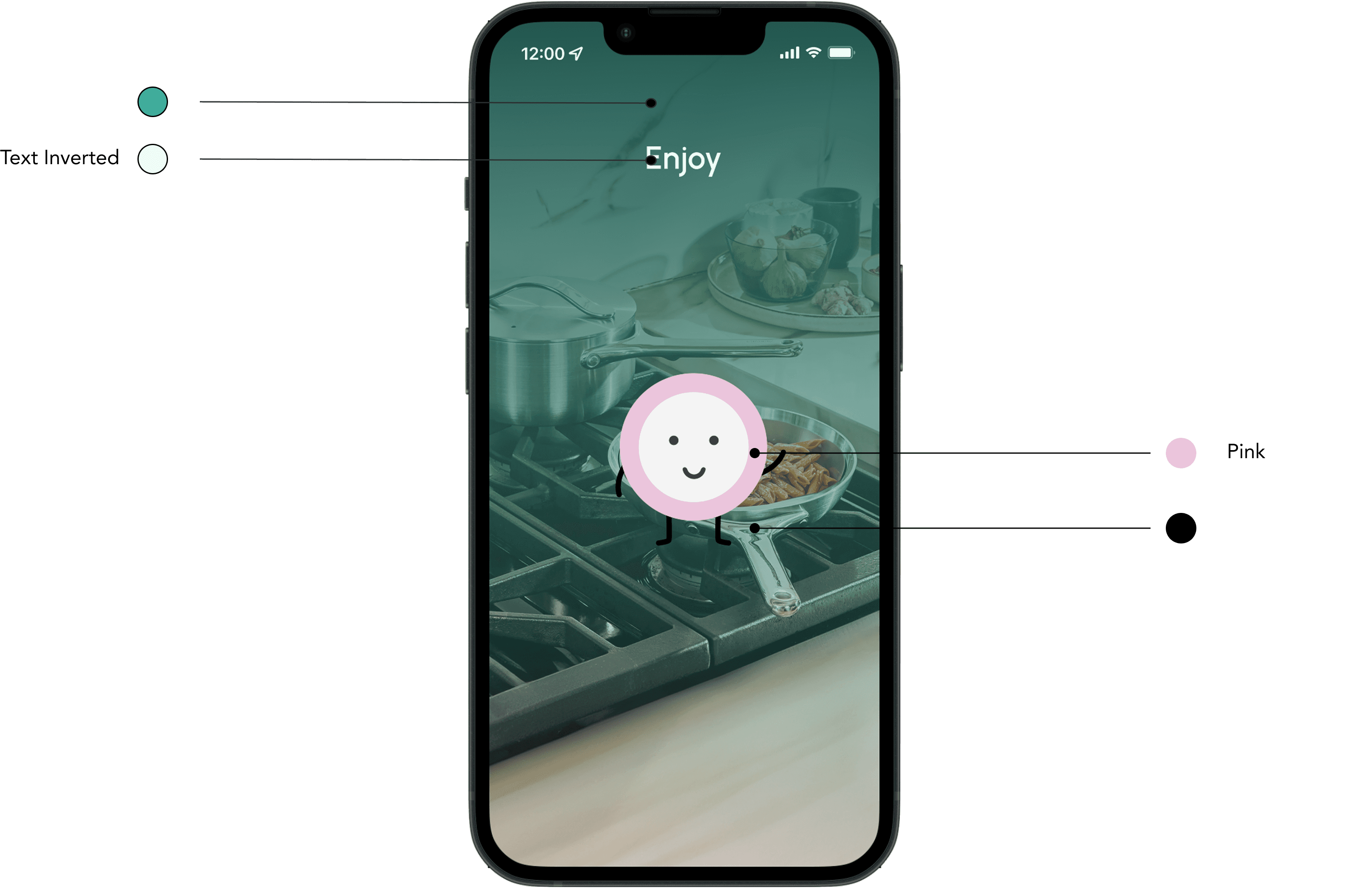
Revised Colours
Brand Primary
Brand Secondary
#40AC9B
#E6F4F2
RGB 64 172 155
RGB 230 244 242
Lagoon
#20564E
Aqua
#3BCEB6
Pink
#EAC5DB
Cloud
#B3DED7
Haze
#97ADA9
Text Primary
#3E3E3E
RGB 62 62 62
Text Black
#000000
RGB 42 42 42
Text Disabled
#898989
RGB 137 137 137
Text Inverted
#ECFDF5
RGB 236 253 100
Brand Colours
Secondary Colours
Text Colours
Rose
Silver
Gold
Forest
#DB4F62
#D3D3D3
#E6B737
#5DA56E
RGB 219 79 98
RGB 211 211 211
RGB 230 183 55
RGB 93 165 110
Accents
RGB 32 86 78
RGB 59 206 182
RGB 234 197 219
RGB 179 222 215
RGB 151 173 169
Typography
Turquoise
Off-Black
See Full Design System
White space to reveal automation opportunities
Analyzing gaps in the original product showed where users struggled most: manual logging, unclear workflows, and interruptions while cooking. By spotting these friction points, automation could be added strategically rather than everywhere, improving user experience.
Integrating physical products
Exploring a wearable food scanner demonstrated how IoT devices can extend PlateMate beyond the app. Pairing hardware with software unlocks hands-free features, real-time tracking, and better accessibility, showing how physical companions can elevate a digital ecosystem.
Context-aware systems create help support users
The redesign emphasized technology that adapts to the user’s environment, whether cooking, eating, or moving around. By combining automation and gentle feedback, PlateMate becomes smarter and more intuitive, reducing user effort while maintaining accuracy and trust.